P
Cineprompt
Drone style1 prompts available

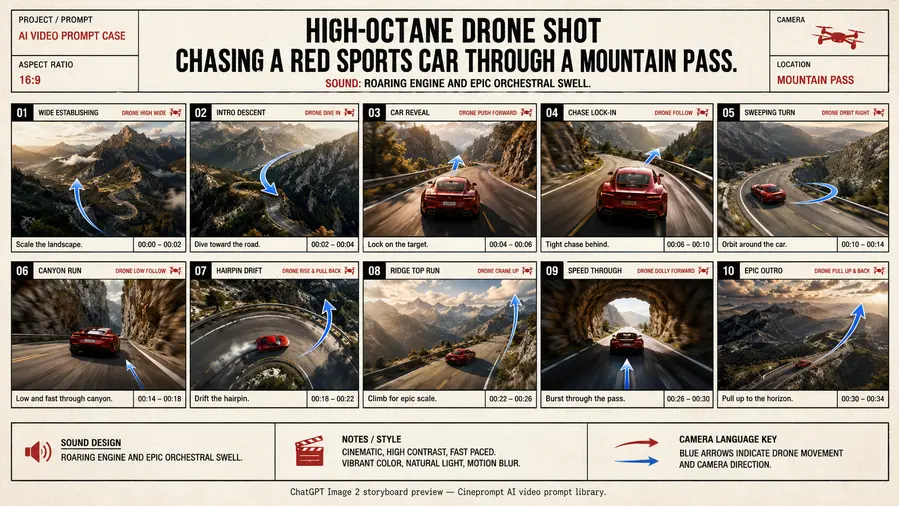
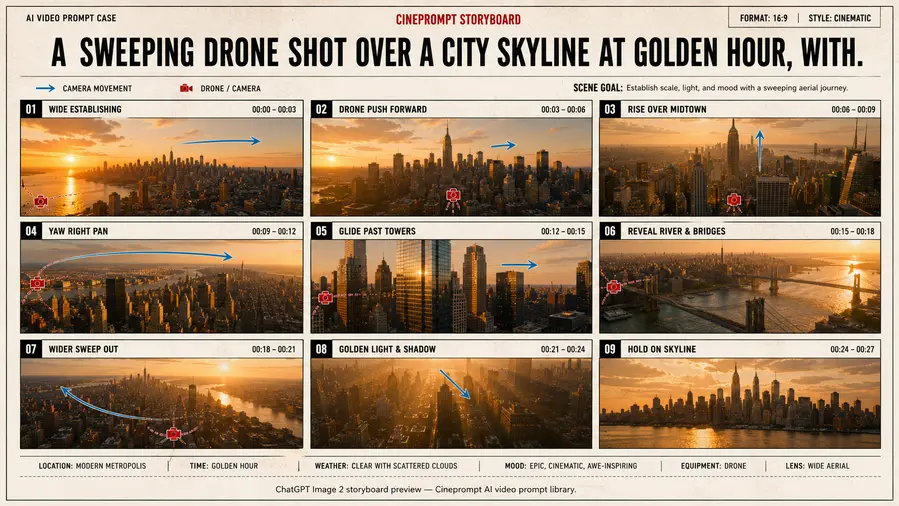
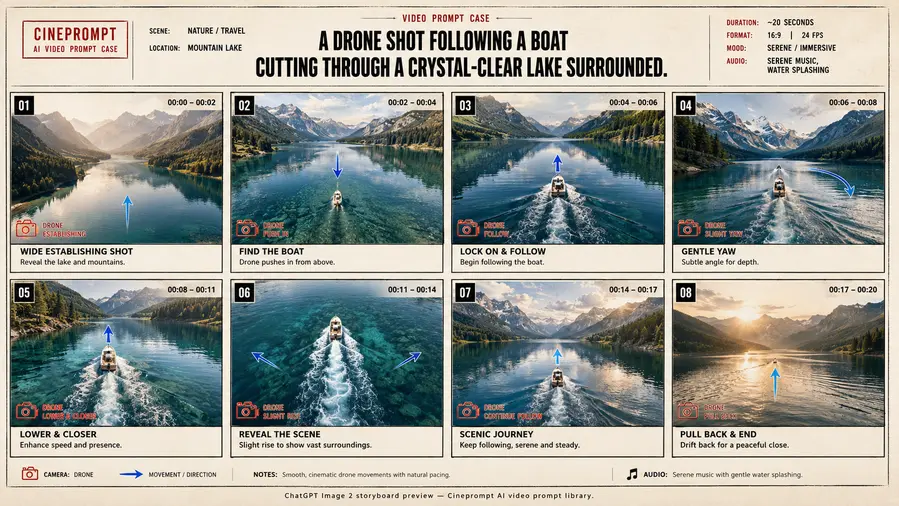
Drone Video Prompts

Aerial movement, wide framing, and cinematic scale. Use for travel reveals, cityscapes, and sweeping establishing shots.

Best practices

  • -Describe one action per shot to keep motion clean.
  • -Call out the camera move to match the style.
  • -Repeat lighting cues across the sequence.

Failures & fixes

  • -If motion drifts, simplify the action and reduce adjectives.
  • -If style fades, restate the style lock in each shot.
  • -If framing changes, move camera cues to the first sentence.

Drone prompts by model

Sora 2 version
Shot → Framing → DOF → Action → Lighting → Duration
Shot 1: rooftops at dawn, runner in red windbreaker, warm sunrise, aerial wide shot. Framing: wide skyline. Depth of field: shallow. Camera: aerial glide. Lighting: golden sunrise. Duration: 3s.
Veo 3.1 version
Scene → Camera → Transition → Audio → Lighting
Scene: rooftops at dawn, runner in red windbreaker, warm sunrise, aerial wide shot. Camera choreography: aerial glide. Transition: cut. Audio cues: wind rush. Lighting: golden sunrise.
Kling 2.6 version
Scene → Action → Motion → Style → Parameters
Scene: rooftops at dawn, runner in red windbreaker, warm sunrise, aerial wide shot. Motion: aerial glide. Style: warm sunrise, long shadows, kinetic camera, crisp detail. Parameters: quality=high, frame_rate=24fps, noise=low. Input image: reference frame.
Seedream 4.5 version
Subject → Composition → Lighting → Style → Mood
Subject: rooftops at dawn, runner in red windbreaker, warm sunrise, aerial wide shot. Composition: wide skyline. Lighting: golden sunrise. Style: warm sunrise, long shadows, kinetic camera, crisp detail. Mood: cinematic, thriller, drone.

Drone style prompt guidance

A drone prompt is a style lock plus a shot list. The style lock sets camera language and lighting, and each shot then keeps one action beat. This is how you turn a simple idea into a reliable ai video generator prompt with consistent visual tone.

Use the model variants above to see how the same style transfers between Sora, Veo, Kling, and Seedream. When you copy a pack, keep the style lock identical and only change the subject or location. That approach produces cleaner ai video generator prompts and faster iteration.

This page is also a quick reference for camera language tied to the style. If the style feels weak, add one more lighting cue and repeat it across the shot list. That keeps the visual tone aligned from the first frame to the final beat.
FAQ

How do I write drone prompts?
Use clear camera language, a short style lock, and one action per shot to keep the drone look consistent.
Should every shot use the same style cue?
Yes. Repeat the style cue across shots to avoid visual drift.